
AI Inbox
An AI Inbox for the Messages That Need Your Attention
A standard inbox shows email according to when it arrived. It does not always show which conversation is most important, which request remains unresolved, or which person may still be waiting for a response.
For professionals managing customer questions, project discussions, approvals, follow-ups, and internal requests, the main challenge is often not receiving email. It is maintaining a clear understanding of what requires attention.
The Surgy AI Inbox is being developed to help Gmail users review important communication with greater awareness. Instead of replacing Gmail, Surgy is intended to add an intelligent layer that helps users notice relevant conversations, understand what may remain unfinished, and consider appropriate next steps.
Users remain responsible for reviewing recommendations and deciding how to respond.
Surgy is currently in early access, and available AI Inbox functionality may change as the product is tested and developed.


What Is an AI Inbox?
An AI inbox is an email-assistance experience that uses artificial intelligence to help users understand which conversations may require attention.
Traditional inboxes generally organize email by time, sender, folder, label, or manually created rule. These methods can be useful, but they still require the user to interpret why a message matters and what should happen next.
An AI inbox may provide another layer of support by helping users review questions such as:
- Which conversations may still need a response?
- Which requests appear unresolved?
- Which messages contain a decision or commitment?
- Which discussions may require another review?
- Which conversations could be important despite being older?
- What information should be considered before responding?
The goal is not to make every inbox decision automatically. It is to help users direct their attention more effectively.
Inbox Overload Is an Attention Problem
A busy Gmail account can contain client discussions, prospect replies, internal updates, newsletters, automated notices, meeting messages, approvals, and routine notifications.
Important communication may be mixed with messages that do not require immediate action. As new email arrives, older conversations can move out of view even when they remain unfinished.
This creates a recurring burden. Users must scan the inbox, open several threads, remember earlier discussions, and determine whether anything has been overlooked.
The result can be repeated inbox checking throughout the day.
An intelligent inbox assistant may help reduce this uncertainty by making potentially important activity easier to review. It should support the user’s judgment rather than claim to know every priority automatically.
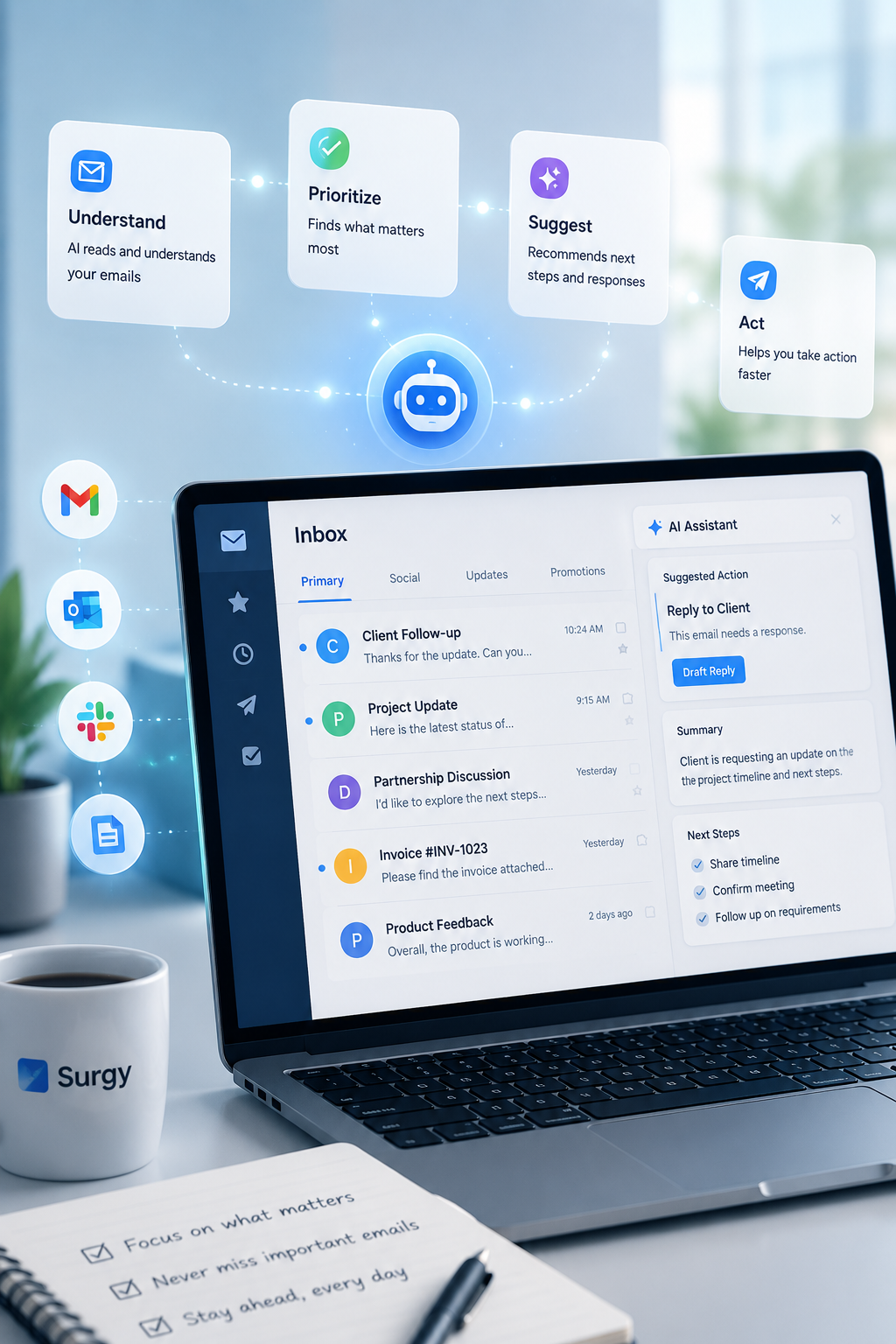
Notice Conversations That May Be Unresolved
Some email conversations clearly end with a completed decision or response. Others become inactive without reaching a clear outcome.
A customer may still be waiting for information. A prospect may have asked a question that was never addressed. A client may have requested a revision. A colleague may have sent an approval request that remains open.
Depending on the functionality available during early access, Surgy’s AI Inbox may help users review situations such as:
- Conversations that may be awaiting a response
- Questions that appear unanswered
- Requests that may still require a decision
- Discussions that should be revisited
- Messages containing a possible deadline or commitment
- Older conversations that may remain relevant
- Proposed next steps that require user review
Available inbox-assistance features may vary during early access.
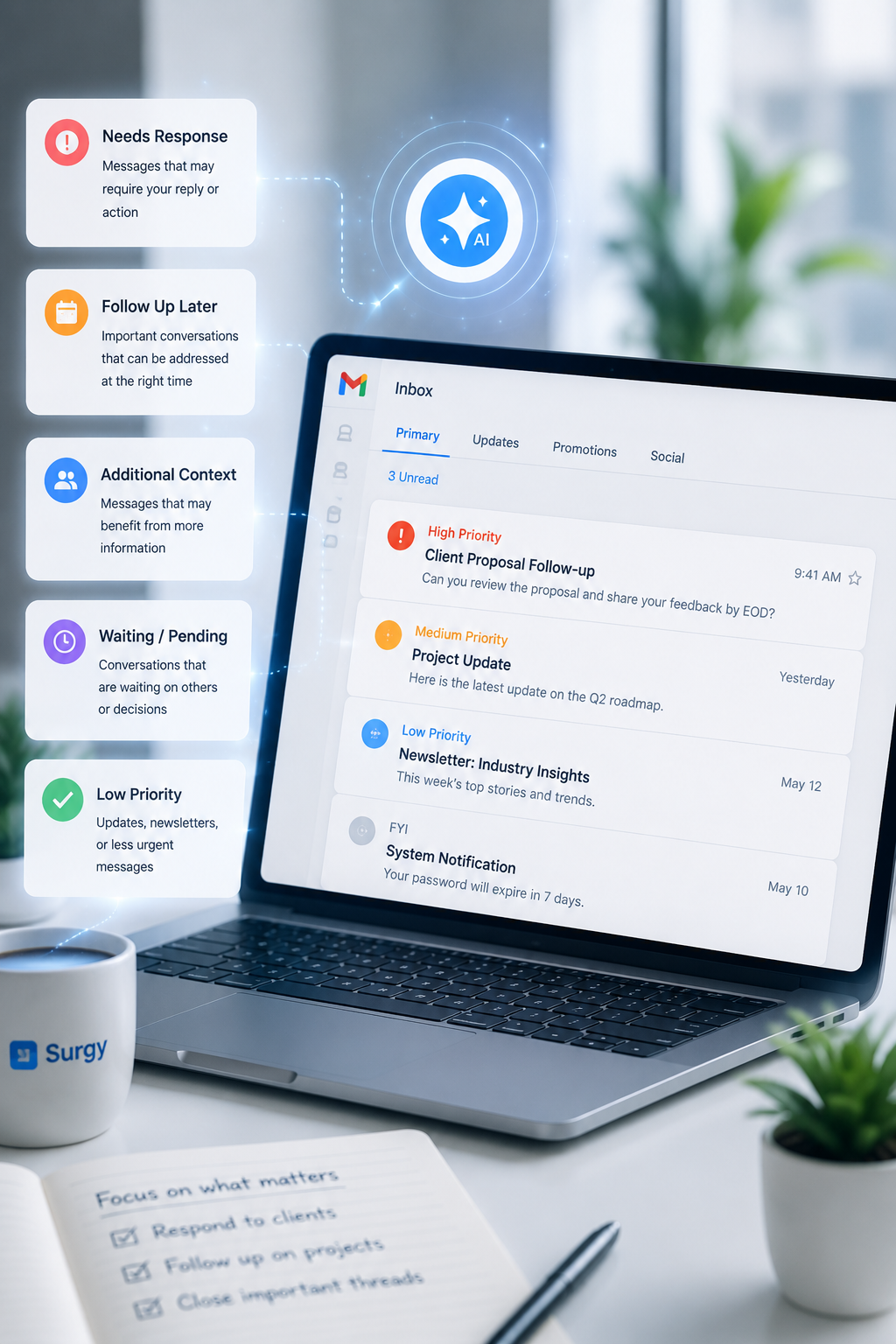
Focus on What May Matter Next
Inbox management is not only about organizing messages. It is also about determining where attention should go next.
A recently received message is not always the most important. An older conversation may require a response before a new notification. A short email from a customer may be more consequential than a long automated update.
Where supported, an AI inbox assistant may help present signals that allow the user to evaluate:
- Whether a conversation appears active or unfinished
- Whether the sender asked a direct question
- Whether the discussion includes a request
- Whether an earlier commitment may require review
- Whether another response could be appropriate
- Whether the user should revisit the thread later
Surgy is designed to provide useful signals that help users evaluate where their attention may be needed. The user remains responsible for deciding which conversations are most important.
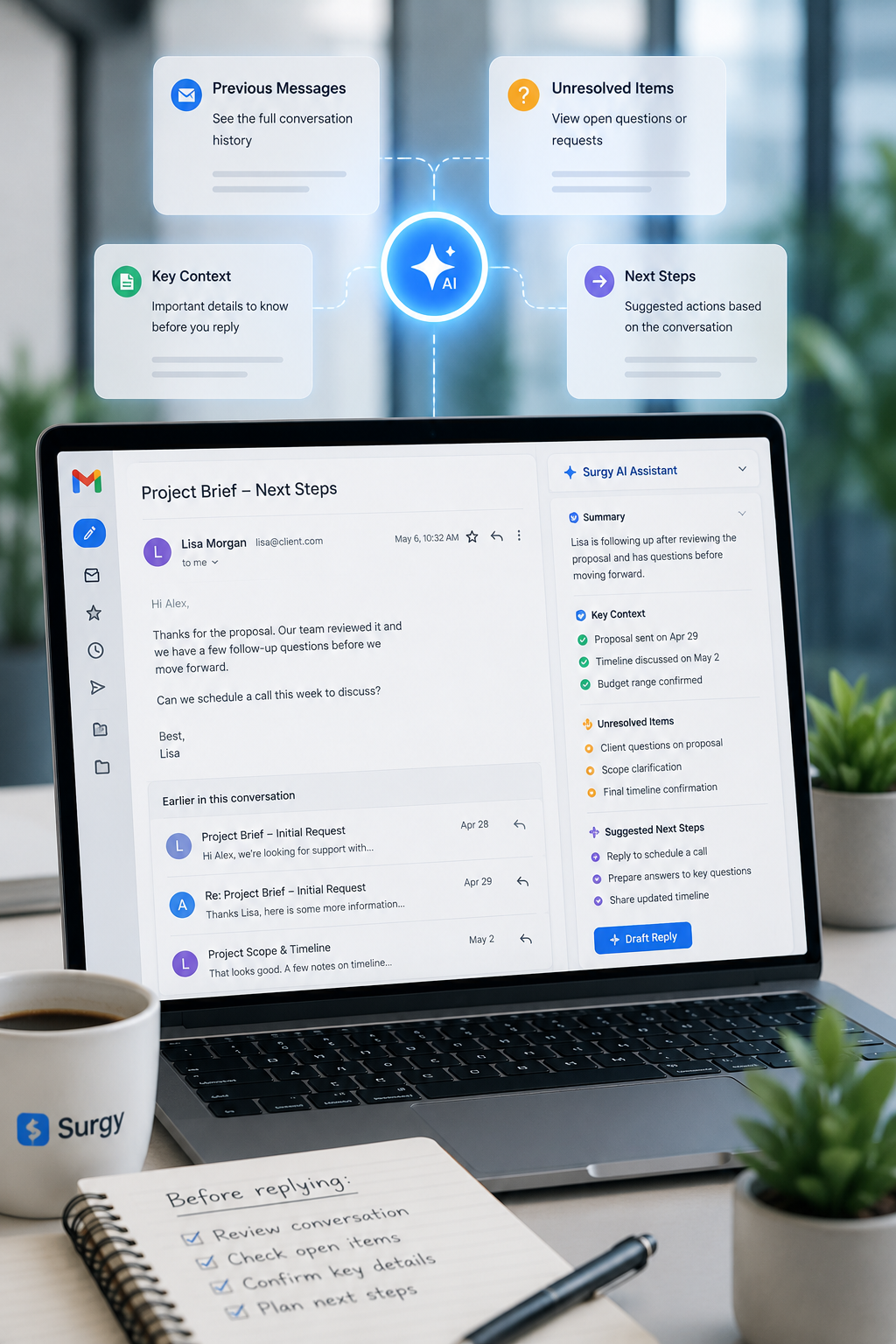
Review Conversation Context
A single email rarely tells the complete story.
The meaning of a message may depend on what was discussed earlier, which information has already been provided, or whether the participants reached a decision.
An AI Inbox may help users review relevant details from the email conversation before deciding how to respond.
Depending on supported functionality, useful context may include:
- Earlier messages in the thread
- Questions that have already been answered
- Requests that remain open
- Statements or commitments made during the discussion
- Information the sender may expect next
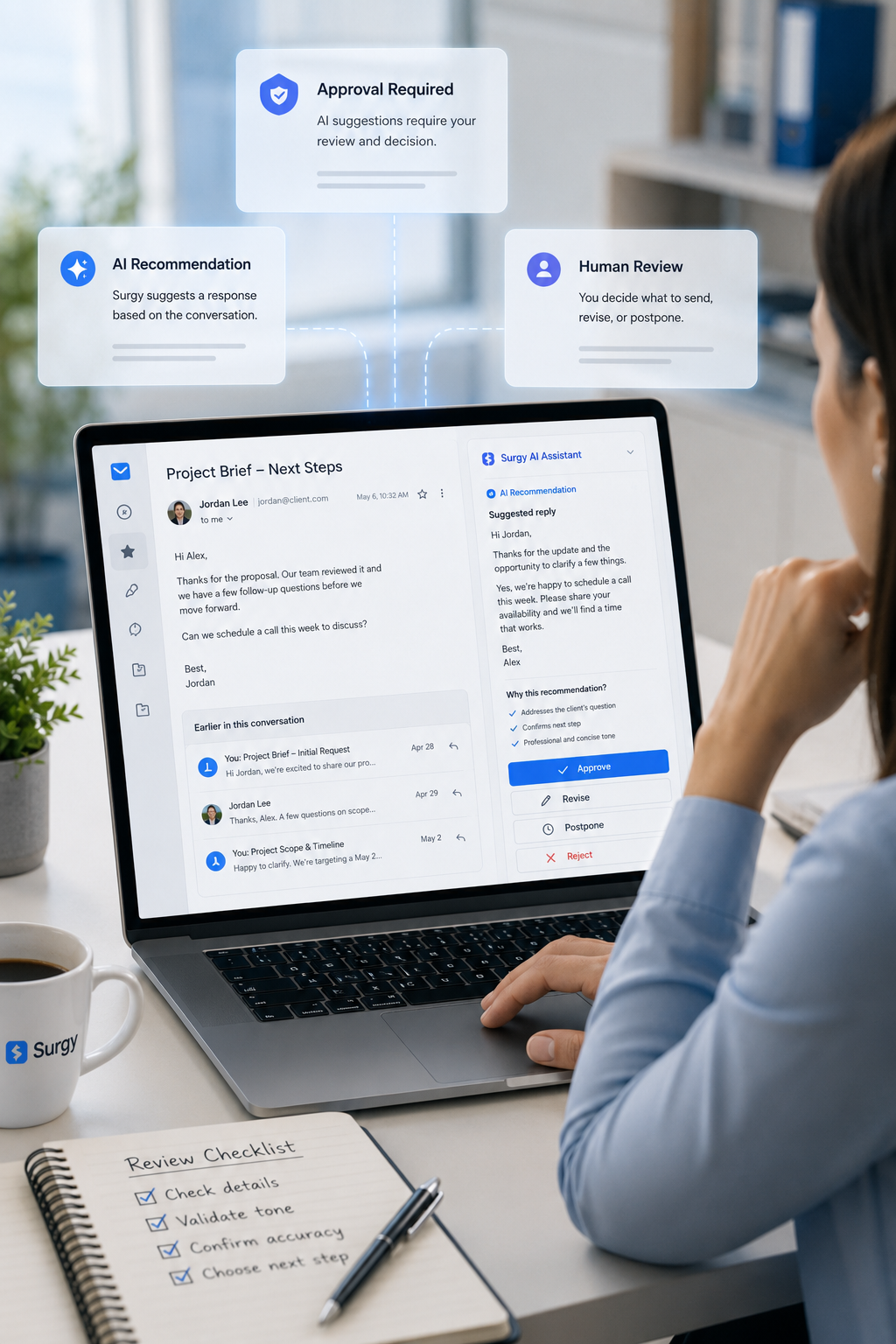
Keep Human Judgment in Control
Business communication can affect customer trust, project expectations, professional relationships, and financial decisions.
An AI recommendation may be helpful, but it may not account for every detail or understand the judgment required in a sensitive conversation.
Surgy follows an approval-first approach. Where available, the AI Inbox may help identify activity, present conversation details, or prepare a possible recommendation. The user remains responsible for checking the information and deciding what happens next.
An illustrative review process may include:
- A Gmail conversation appears to require attention.
- Surgy presents relevant email details.
- A possible next step is suggested.
- The user reviews the suggestion.
- The user revises, postpones, rejects, or approves the proposed direction.
The exact review experience may vary during early access, but users remain responsible for evaluating recommendations and deciding what happens next.

Designed for People Managing Active Conversations
The Surgy AI Inbox may be useful for professionals whose work depends on keeping track of several ongoing email discussions.
Founders and Executives
Leaders often manage conversations involving employees, partners, customers, and business opportunities. An intelligent inbox may help them recognize which discussions require personal attention.
Consultants
Consultants may maintain separate email threads for several clients. Inbox assistance can help them revisit open questions and understand which conversations may need another response.
Agencies
Agencies frequently receive feedback, approval requests, content changes, project questions, and client updates through Gmail. An AI Inbox may help users maintain awareness of unfinished discussions.
Account Managers
Account managers rely on communication continuity. AI-supported inbox review may help them identify customer conversations that should be revisited.
Productivity-Focused Professionals
Anyone who checks Gmail repeatedly because they are concerned about overlooking something important may benefit from clearer inbox awareness.
Prepare for AI Inbox Early Access
Before requesting access, users should identify the inbox problem they want to address.
Useful questions include:
- Which Gmail account receives the most important communication?
- Which conversations are most likely to be overlooked?
- What types of messages commonly remain unresolved?
- Which email decisions require personal review?
- What information is usually needed before responding?
- Which messages should never receive AI-generated recommendations?
- What would make the inbox feel easier to manage?
Beginning with one clearly defined issue can make it easier to assess whether Surgy’s available early-access functionality is appropriate.
Requesting early access does not guarantee acceptance or confirm that every proposed inbox function is currently available.

Spend Less Time Wondering What You Missed
The Surgy AI Inbox is being developed to help Gmail users understand which conversations may require attention, review relevant email context, and consider possible next steps.
It is not intended to replace Gmail, automatically control the inbox, or remove human judgment from important communication.
Surgy’s role is to provide an additional layer of awareness while allowing users to continue working with the email platform they already use.
FAQ
What is the Surgy AI Inbox?
The Surgy AI Inbox is a Gmail-first email-assistance product being developed to help users review important conversations, recognize messages that may require attention, and consider appropriate next steps.
Does the AI Inbox replace Gmail?
No. Gmail remains the user’s email platform. Surgy is intended to add an AI-supported layer that helps users understand and review important inbox activity.
Is the Surgy AI Inbox currently available?
Surgy is currently accepting early-access requests. Access, features, and supported inbox workflows may vary while the product is being developed and tested.
Build Your Connected AI Workspace
Connect your business systems and bring important information into one place.
Join the Surgy early access program to explore available integrations, discuss custom requirements, and help shape the future of AI-powered business operations.