
Order Processing Automation
Order Processing Automation for Businesses
An order comes in. Someone opens it, checks the product, finds the right supplier, and forwards the information. Then another order arrives, and the same process starts again.
For many businesses, this is simply how orders get handled. The work needs to be done, but not every step necessarily needs a person doing it.
Order processing automation can reduce the repetitive work involved in receiving, checking, and routing orders. Instead of manually handling every routine step, businesses can explore ways to move information through a defined process while keeping employees involved where their judgment matters.
Surgy helps businesses examine these everyday workflows and identify practical opportunities for automation.
You don’t need to know which software or technical solution would work. A general explanation of the task your team repeats is a useful place to start.

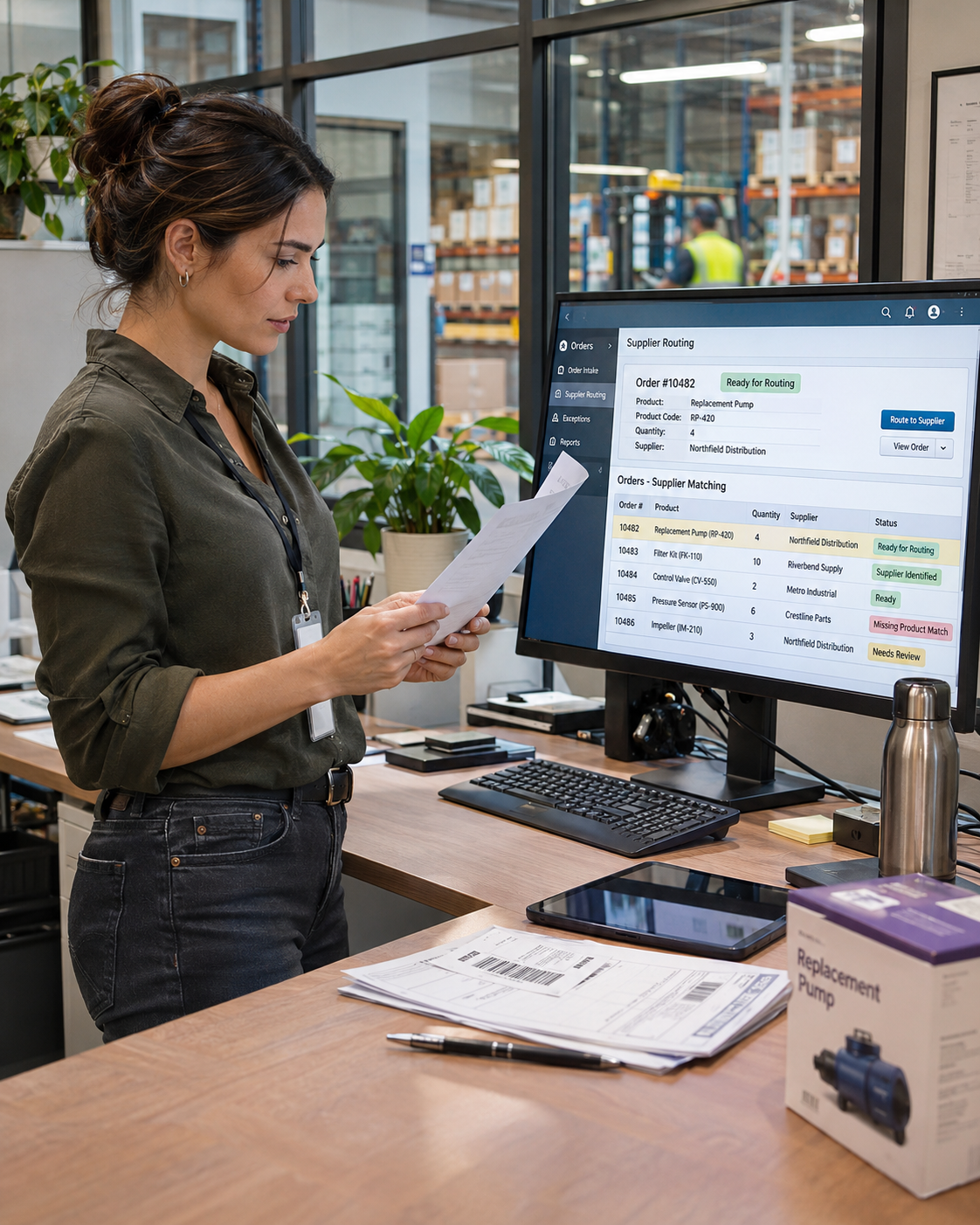
What Is Order Processing Automation?
Order processing automation uses software and defined rules to handle selected tasks involved in processing customer orders.
Imagine a company that receives orders for products supplied by several distributors. Every order needs to be reviewed to determine which distributor should receive the information.
An employee might check the product number, look up the supplier, and forward the order confirmation. If that process follows the same rules each time, some of the work may be suitable for automation.
The exact steps vary by business. Common opportunities include extracting order details, identifying products, organizing incoming information, and routing confirmations.
There is also a difference between order processing automation and order management automation.
Order processing focuses on handling individual transactions. Order management covers a wider range of activities, which may include inventory coordination, order tracking, fulfillment, and customer updates.
You may not need to automate all those activities. Sometimes, addressing one repeated task is enough to make a meaningful difference to the people handling orders.
Where Manual Order Processing Causes Problems
Not all manual work is unnecessary. Employees often need to review unusual orders, resolve customer requests, or make decisions that cannot be reduced to a simple rule.
The problems tend to appear in the steps between those decisions.
Entering the Same Information More Than Once
An order arrives with the product, quantity, and customer details already provided.
Someone then copies that information into a spreadsheet, another system, or a supplier email.
Aside from taking time, repeated data entry creates additional opportunities for errors. A product number entered incorrectly may send an order down the wrong path.
Checking Which Supplier Handles an Order
Businesses with multiple distributors may rely on employees to determine where each product should be ordered.
If the same product identifiers consistently correspond to the same distributors, that repeated lookup is worth examining.
Forwarding Orders Manually
Some teams receive order confirmations in one place and then forward them to another department or supplier.
When the destination and required information follow established rules, there may be a simpler way to manage the handoff.
Dealing With Exceptions
Automation becomes more complicated when information is missing or an order does not match the normal process.
For example, an unfamiliar product identifier should not automatically trigger an order to the wrong distributor.
A well-designed process accounts for these exceptions and identifies when someone needs to step in.
How Automated Order Processing Works
Before automating anything, it helps to follow an order from the moment it arrives until it reaches the next person or system.
That usually reveals which steps are necessary, which are repeated, and which require a decision.
A practical review often covers five questions.
- Where does the order arrive?
It could come through email, an ecommerce platform, a customer form, or an internal system. The source determines what information is available.
- What does someone check first?
Product identifiers, quantities, customer references, and supplier details may all play a role. Understanding these checks helps establish which information the process depends on.
- How is the next step decided?
Perhaps a product number determines the distributor. Maybe certain transactions need manager approval. These rules should be documented before considering automation.
- What happens when something is wrong?
Missing information, unusual orders, or conflicting details need a clear way to reach the right person for review.
- How will the process be tested?
Any proposed workflow should be tested against normal orders and exceptions. As products, suppliers, or internal procedures change, the automation may need updating.
Depending on the systems involved, the result might be a simple rules-based workflow or a more involved process that uses AI to interpret information.
Surgy’s broader approach to business workflows and automation emphasizes working with existing tools and retaining human control over important actions.
A Practical Order Processing Example
Consider a parts retailer that receives customer orders for products sourced from different distributors.
The company needs to identify each product and forward the relevant confirmation to the correct distributor before the order can move toward fulfillment.
Surgy has worked on a custom workflow that performs this product-identification and forwarding step for a diesel parts business.
This is a useful example because the problem is specific. The automation addresses a repeated task instead of attempting to replace an entire fulfillment operation.
The business still has its own supplier relationships, ordering requirements, and responsibilities after the confirmation is forwarded.
A similar approach could be worth reviewing for another company, although the technical solution would depend on how its orders arrive and where the information needs to go.
The same principle can also apply to work that starts in an inbox. Surgy’s existing email automation content explains how messages can form part of a wider business workflow.
The important part is identifying the specific step that keeps taking up your team’s time.
Is Your Order Process a Good Candidate for Automation?
You don’t need a large warehouse or hundreds of daily transactions to consider automation.
A small company might have one employee spending part of every afternoon sorting order confirmations. Another business might have several people checking distributor information throughout the day.
The starting question is whether that work follows a predictable pattern.
Look at a typical week and consider:
- Which order-related task gets repeated most often?
- Does your team follow the same instructions each time?
- Is the information needed for that task already available?
- What exceptions require someone to make a decision?
- Would changing that step create problems elsewhere?
A process that happens regularly and follows clear rules may be easier to evaluate than one that changes with every customer request.
It’s also worth considering whether the task is causing a genuine problem. Automation involves design, testing, and maintenance. A rarely performed task might not justify that effort.
Surgy can review a general description of your workflow to discuss what may be practical. The available integrations, technical requirements, and implementation approach would need to be confirmed before any project proceeds.
For businesses already exploring AI-assisted work, Surgy’s approval-first approach offers additional context on why human review remains important when automated workflows involve business decisions.

Have a Repetitive Order Task You'd Like to Automate?
Maybe someone on your team spends time forwarding order confirmations, checking product details, or transferring information between systems.
If that work follows the same steps most days, it may be worth exploring a different approach.
Tell us a little about the task your team handles repeatedly. A general overview is enough to get started. There’s no need to share confidential information, customer records, or sensitive business details in your initial inquiry.
We’ll use that overview as a starting point for discussing whether the task may be suitable for automation.
FAQ
What is order processing automation?
Order processing automation uses software and defined workflows to handle repetitive tasks involved in receiving, checking, and routing customer orders. It can reduce manual work while allowing employees to handle exceptions and important decisions.
Which order-processing tasks can be automated?
Tasks such as extracting order information, identifying products, checking required details, and routing confirmations may be suitable for automation. The possibilities depend on your existing systems, available information, and business rules.
Is order processing automation suitable for small businesses?
Yes. A small business can benefit from reviewing a task that employees repeat frequently. Whether automation is worthwhile depends on the amount of work involved, the complexity of the process, and the cost of implementing and maintaining a solution.
Will automation replace our current order management system?
Not necessarily. Some workflows may be automated using existing systems. Others may require changes or additional tools. The first step is to understand how your current process works and what your systems can support.
Can Surgy help us automate our order process?
Surgy can review a high-level description of your existing process and discuss possible automation opportunities. You do not need to provide confidential records or detailed internal procedures for an initial inquiry. Technical feasibility and implementation requirements would be evaluated separately.
Have a Repetitive Order Task You’d Like to Automate?
Tell us about one order-processing task your team handles repeatedly such as checking product details, routing orders, forwarding confirmations, or transferring information between systems. A simple overview is enough to start exploring whether automation may be practical.